
What Happens If You Lose Internet During an Online Exam in Canada?
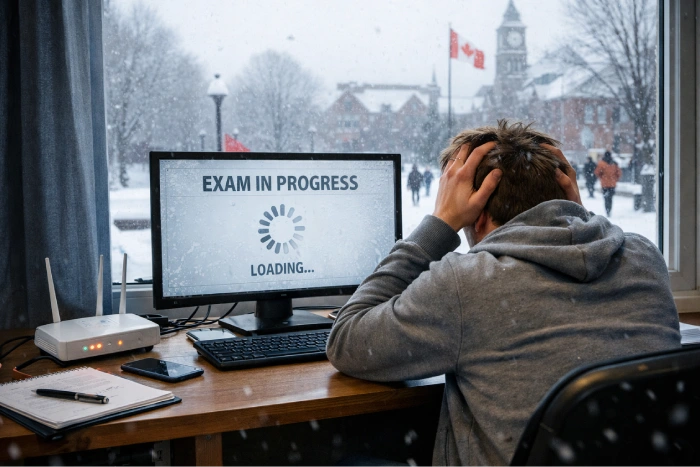
If you are wondering what happens if internet disconnects during online exam Canada, the answer depends on your university, instructor, exam platform, and proctoring setup. A connection problem does not automatically mean you fail. Some systems save answers as you work, while the exam timer may continue running during an outage.
Canadian institutions have their own technical-issue procedures, and a complete guide to online exams in Canada can help you understand how these situations are typically handled, so the safest response is to reconnect quickly, document what happened, and report the problem through the contact listed in your exam instructions.
The Short Answer: What Usually Happens
If you lose internet during online exam, your next steps depend on the platform and course rules, but these are the most common outcomes:
- Answers saved before the connection dropped may remain available.
- A timed exam may continue counting down during the outage.
- Proctoring software may record the interruption for later review rather than automatically failing you.
- New questions may not load, and you may be unable to submit until the connection returns.
- Your instructor or department decides what remedy applies if the interruption affects completion.
There is no single Canadian rule for every online exam. Our guide to how online proctored exams work in Canadian universities explains how exam platforms and monitoring tools generally work.
What Canadian Universities Actually Say
Canadian university guidance shows why you should follow your own exam instructions instead of relying on what happened to another student. The online exam technical issue policy Canada students follow can depend on the institution, department, instructor, and testing platform.
- University of Alberta: Its student guidance recommends documenting technical problems with screenshots or video and communicating with the instructor so the teaching team can decide whether a fair reassessment is needed.
- UBC: Its current LockDown Browser guide says losing internet can cause an assessment to close or freeze temporarily. Students are advised to notify the instructor or TA, reconnect, reopen LockDown Browser, and try to return to the assessment. UBC also recommends wired internet where possible and lists mobile hotspots as another connection option.
- eCampusOntario: Its Proctortrack information shows that institutions can use online proctoring for remote assessments, with the institution controlling how the service is used.
For Canvas or another LMS, behaviour can differ. In an internet disconnect exam Canvas Brightspace situation, some work may remain saved, but you should never assume every answer or every second of your exam is protected. Check your syllabus and exam instructions before test day.
What to Do in the First 5 Minutes After You Lose Connection
- If you are dealing with a live exam problem, follow these steps in order. The goal is to restore access while creating a clear record.
- Do not close the exam window. Leave it open while you check the connection.
- Reconnect to Wi-Fi. If it fails, use your phone hotspot if your exam rules allow another network.
- Capture evidence. Take a screenshot or photo of the error or disconnected screen, preferably showing the time.
- Re-enter the exam correctly. Don’t open up random tabs or keep having to restart. For instance, UBC will recommend that students reconnect and try to re-enter a LockDown Browser assessment.
- Check your progress. Search for the final question or response that you completed.
- Please inform the instructor or exam help desk. Indicate the time of connection failure, duration of disconnection, and return to exam.
- Keep your records. Keep screenshots, emails and help desk ticket numbers until resolved.
If you feel overwhelmed in the wake of the disruption, our guide on how to reduce online exam anxiety naturally has practical tips for you.
How to Prepare So This Doesn’t Happen
A backup internet plan for exam day gives you another option if your main connection fails. Test your setup before the exam rather than discovering a problem when the timer has already started.
- Check internet connection on the previous day.
- If possible, use Ethernet rather than Wi-Fi.
- Charging the phone and testing out its hotspot.
- Close down any downloads, streaming services, unused tabs and other bandwidth intensive applications.
- Have your instructor’s e-mail address and IT help desk number outside of the exam browser.
- Take any practice quiz or proctoring check given by your school.
UBC advises use of wired internet connection when feasible, and recommends that students with cell phone service use mobile hotspots. It also suggests closing unused apps and browser tabs to boost connection performance.
Will a Lost Connection Affect Your Grade?
If a student had a documented connection failure, it does not necessarily mean that grades will be cancelled. This will depend on your course policy, the occurrence of the interruption and the evidence you can provide.
Examples of possible answers are:
- Extra time or alternative provision
- an opportunity to complete the assessment.
- a rescheduled attempt
- Review of stored answers or exams.
Issues encountered after the test are more difficult to verify. In the event that you think your mark has been affected by a technical issue, please use your institution’s formal procedure; this could involve a exam interrupted internet grade appeal
If an exam is proctored, and has repeated unexplained interruptions, this may be investigated further. Having a connection problem is not a sign of misconduct, and if you keep evidence and report the problem as soon as it occurs, it will help the instructor have a better record to evaluate.
To learn more about institutions’ approach to fairness in assessment, read how Canadian universities maintain fairness in online assessments.
Frequently Asked Questions
Does the exam timer stop if my internet disconnects?
Usually, you should not assume the timer stops. Many timed online assessments continue counting down while the connection is unavailable, although the exact setup depends on the platform and instructor. If the outage costs you exam time, report it immediately so the instructor can decide whether an adjustment applies.
Will I fail if I lose internet during a proctored exam?
No, a lost connection does not automatically mean you fail. The LMS or proctoring system may record the interruption, and the instructor or reviewer can assess what happened. Reconnect, document the problem, and report it through the required channel as soon as possible.
Can I use my phone as a backup connection during an online exam?
You may be able to use a phone hotspot, but check your exam instructions first. UBC lists mobile hotspots as a possible connection option for students with cellular service. If your particular exam prohibits changing networks or devices, follow those instructions instead.
Who do I contact if my internet fails during a Canadian university exam?
Contact the instructor, teaching assistant, or exam/IT help desk listed in your instructions as soon as you can. Give the exact time of the outage and explain what happened after you tried to reconnect. Do not wait until the final grade is posted to report a serious technical problem.
How long can I be disconnected before I need to reschedule?
There is no universal Canadian time limit. Your course instructions may give a specific reconnection window, while another course may handle the situation case by case. Read the technical-issue policy before the exam so you know when to stop troubleshooting and contact the responsible person.
The Safest Approach When Your Connection Drops
If you are searching for what happens if internet disconnects during online exam Canada, the safest approach is to reconnect quickly, document everything, and follow your course’s technical-issue process. One connection problem does not automatically decide your grade, but waiting to report it can make the situation harder to review.
For more preparation help, browse our more Canadian online exam guides or contact us if you need help planning your exam-day setup. You can also learn how to evaluate the reliability of an online exam help service before choosing outside support.